
NetWatcher.io - Windows Installation
NetWatcher is an open-source distributed network monitoring platform built for developers, sysadmins, and MSPs who need powerful, real-time visibility into their network infrastructure.
On Windows
- Your technician / engineer will have provided a command to enter, it will look similar to the following.
- You will need to copy the following text in Green into Notepad prior to running in PowerShell
- You will need to replace ID_HERE & PIN_HERE with information
provided by your technician / engineer.
💾
irm "https://raw.githubusercontent.com/netwatcherio/agent/refs/heads/master/install.ps1" -OutFile "$env:TEMP\install.ps1"; powershell -ExecutionPolicy Bypass -Command "& '$env:TEMP\install.ps1' -ControllerHost 'api.netwatcher.io' -SSL `$true -Workspace 2 -Id ID_HERE -Pin 'PIN_HERE'"
(the ID & PIN may have already been provided in the full command)
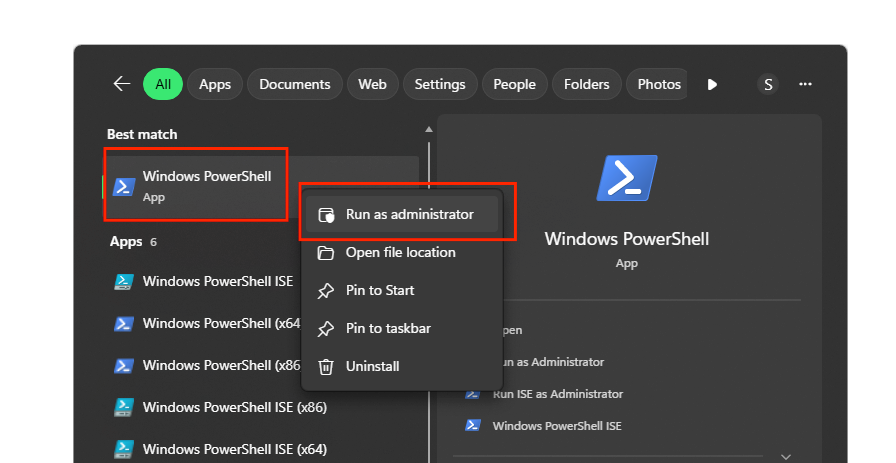
- Open PowerShell by;
- Start Menu -> Search PowerShell -> Right Click -> Run as Administrator
- You will want to copy that command that you've modified in Notepad, and paste it into your PowerShell.
- Hit enter, once pasted into the PowerShell Window
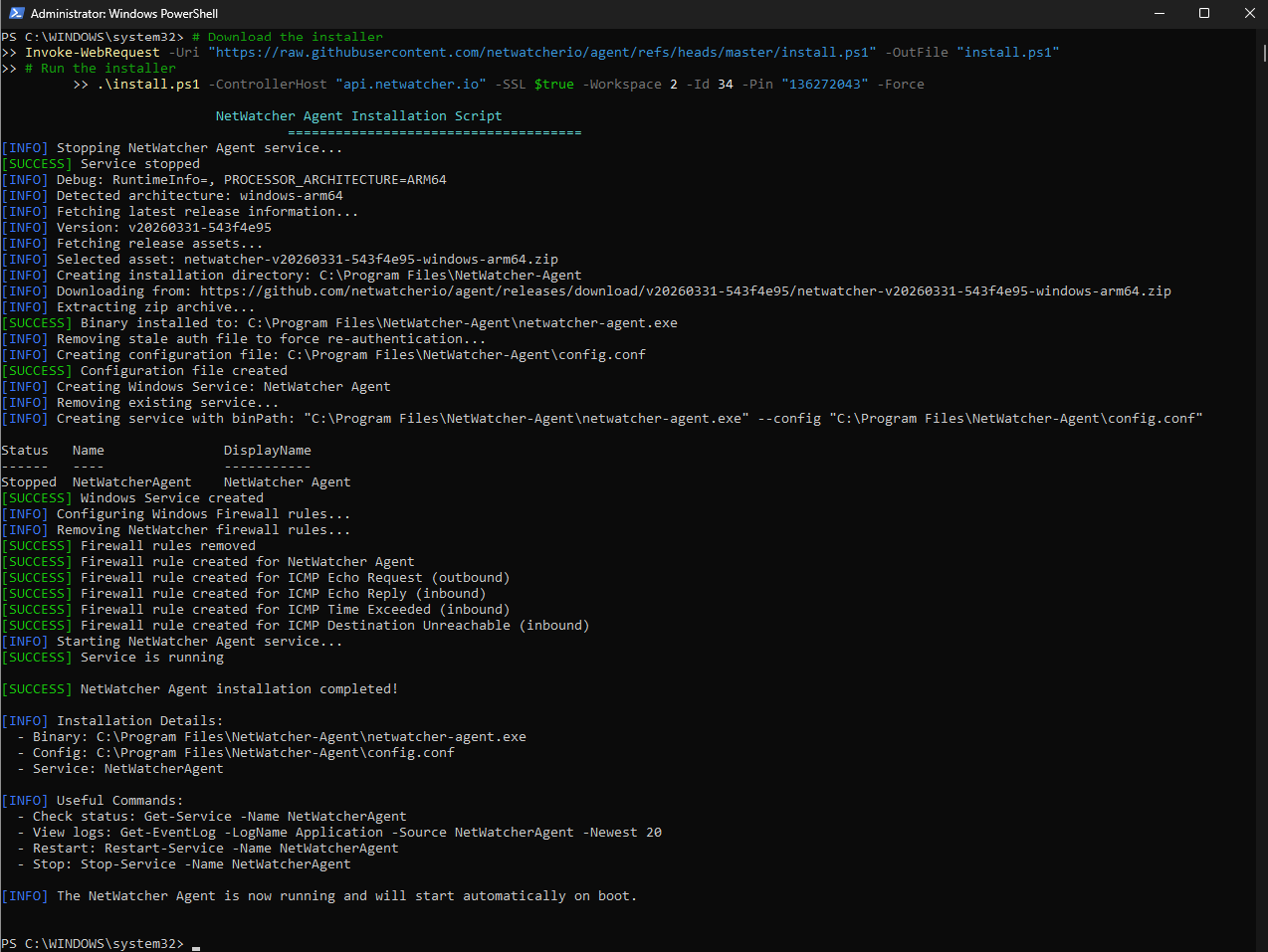
- It will output similar to the following screenshot.
- The technician / engineer will confirm it was installed correctly, and we will monitor the state of your network connection.