
TOC - Mobile User Guide
Download
How to Log In
There are three ways to log in. The primary method is through Microsoft Single Sign-on (SSO):
- At the login screen, click on SSO Login.
- When prompted for the host address, enter:
toc.tops.tel
- Under SSO Login options, select Sign in with Microsoft.
- Enter your office email and Microsoft password if prompted.
If your TOPS Office Communicator welcome email instructed you to sign in with a password, enter your email address, password and the host address in the respective fields. You may be prompted to set up or authenticate with 2FA.
If your TOC welcome email came with a QR code, press Scan QR and scan the code.
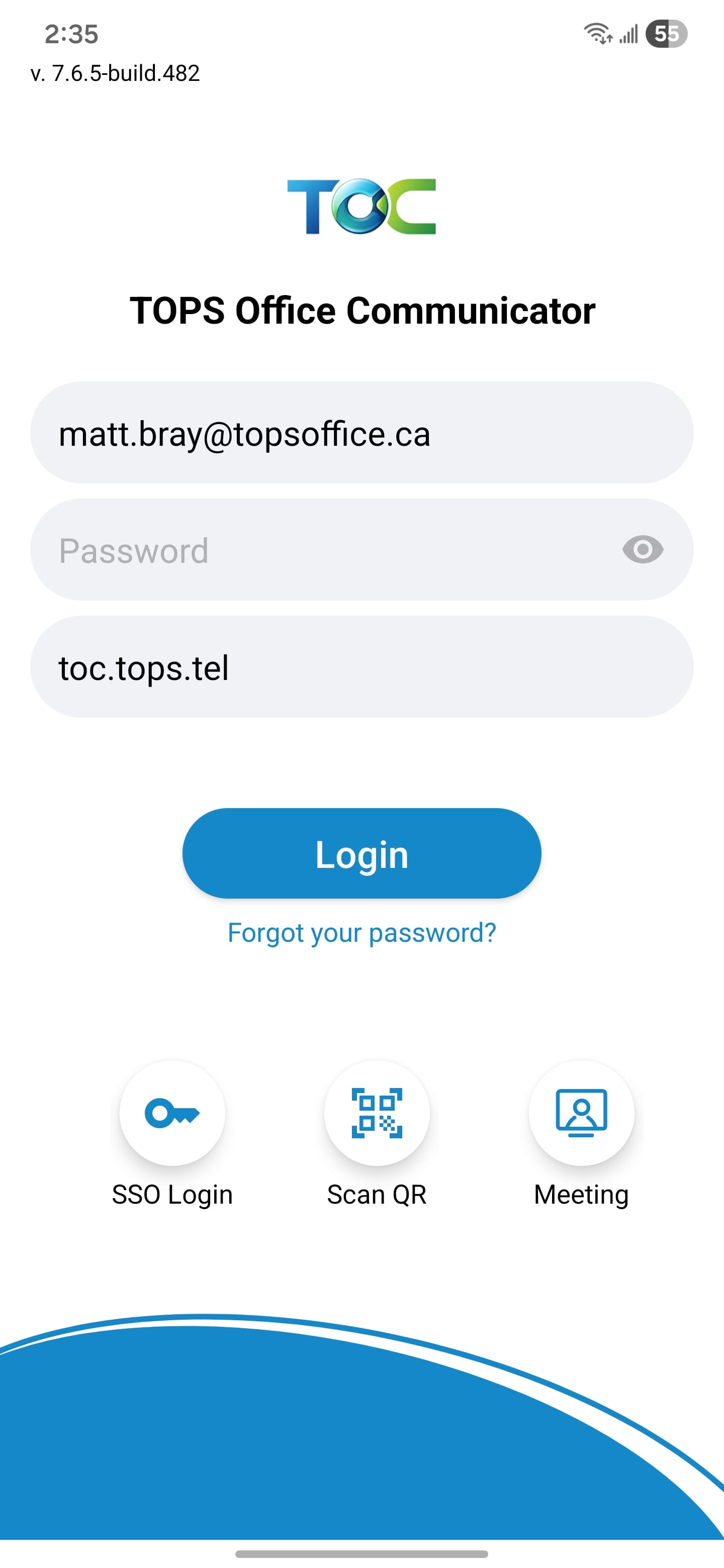
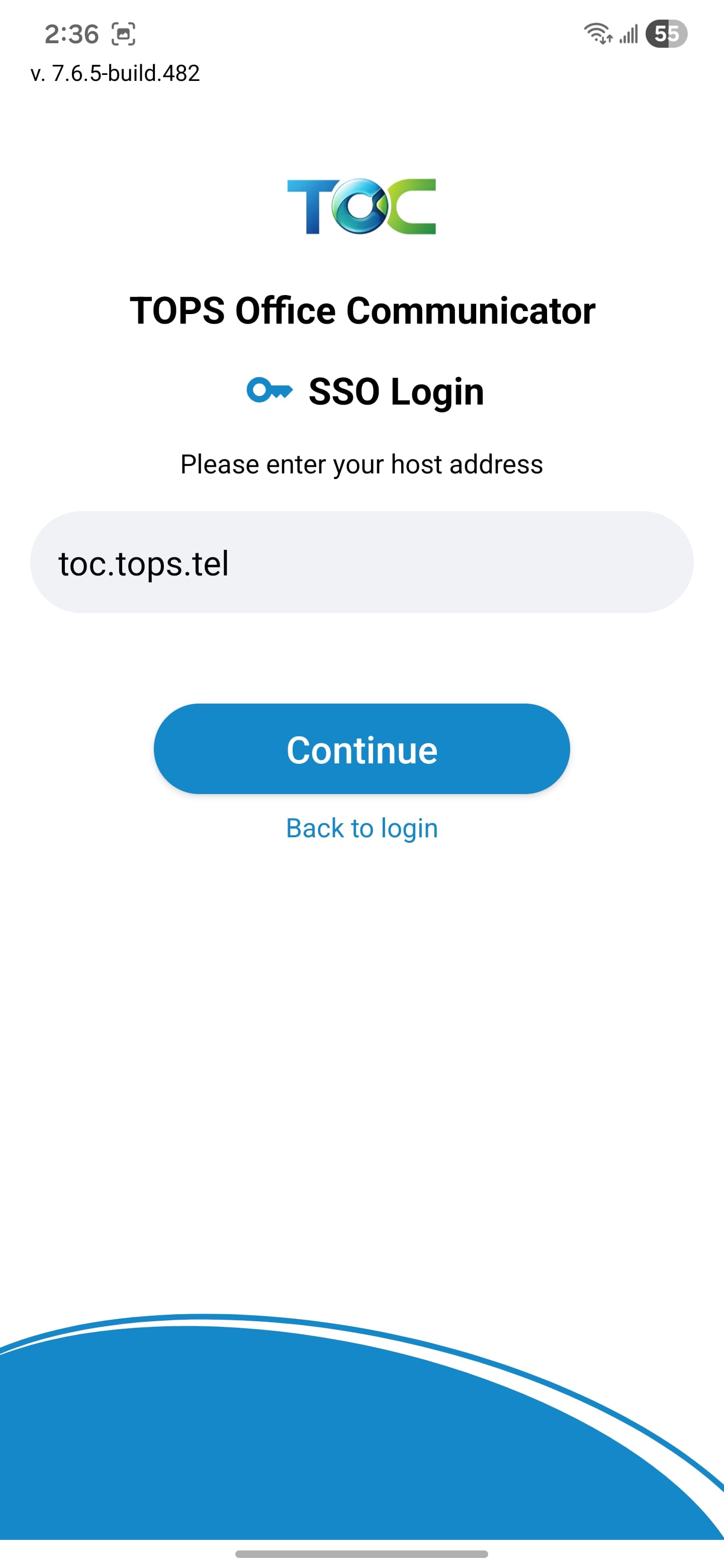
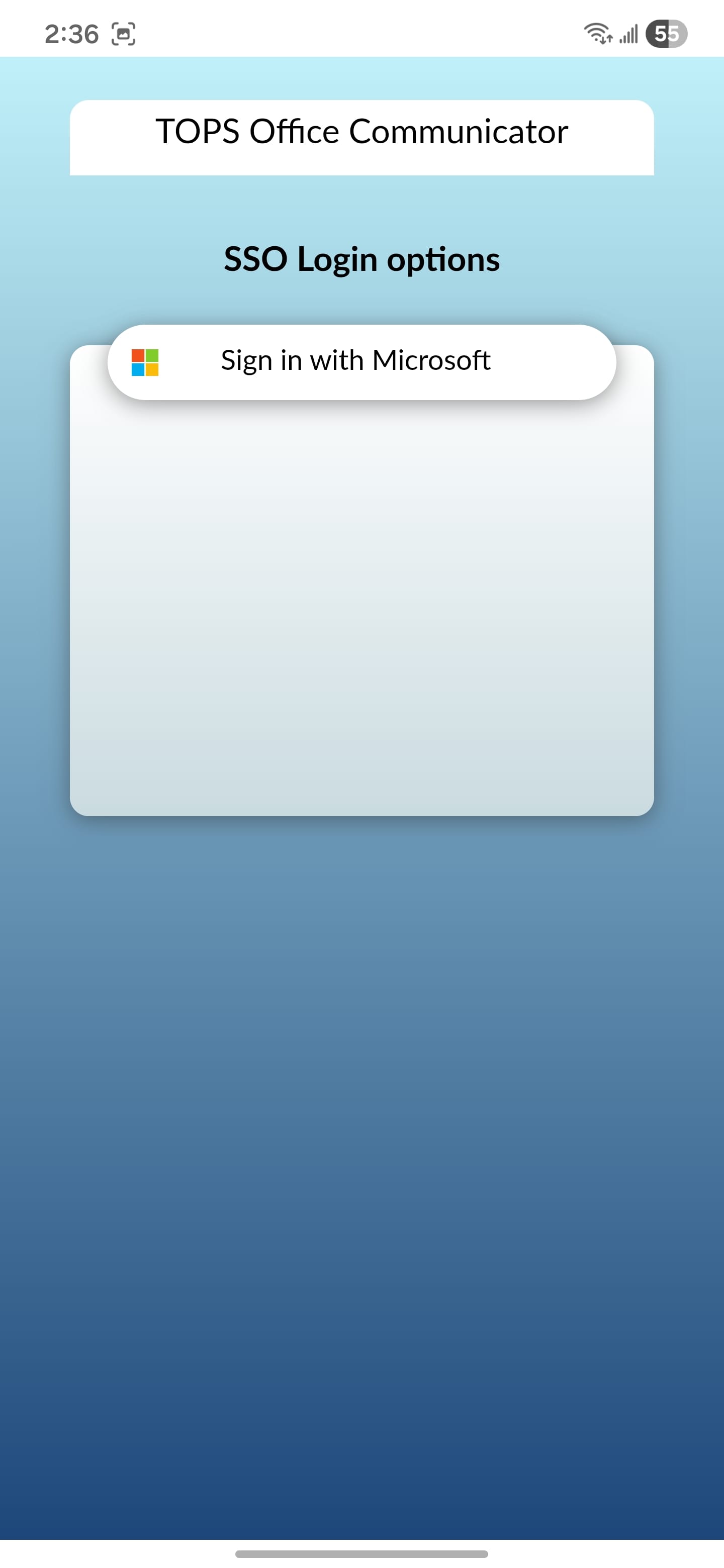
Gallery 1 - Sign-in Options
This document is a work-in-progress. More information coming soon!