
NetWatcher.io - Windows Installation
NetWatcher is an open-source distributed network monitoring platform built for developers, sysadmins, and MSPs who need powerful, real-time visibility into their network infrastructure.
On Windows
- Open PowerShell as Administrator
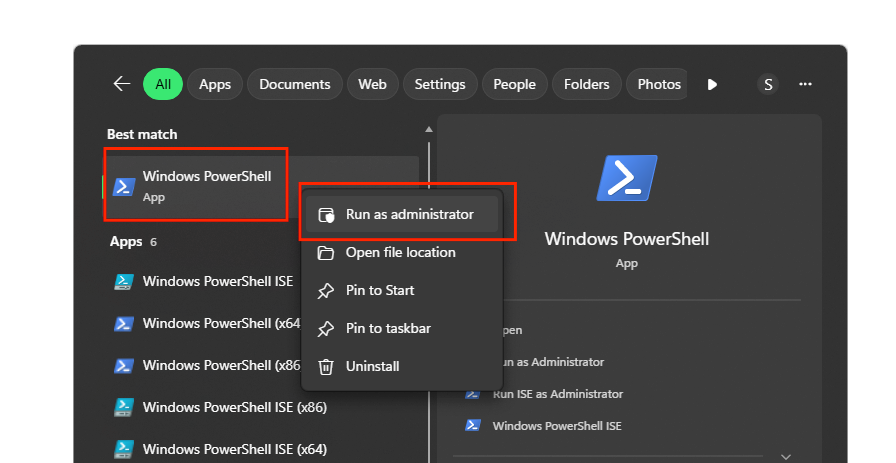
- From your start menu, type "PowerShell"
- Right click on PowerShell (NOT ISE), and select "Run as Administrator"
- Your technician / engineer would have provided a command to enter, it will look similar to the following.

- You will want to copy that command, and paste it into your now open PowerShell session.
- Hit enter, once pasted into the PowerShell Window
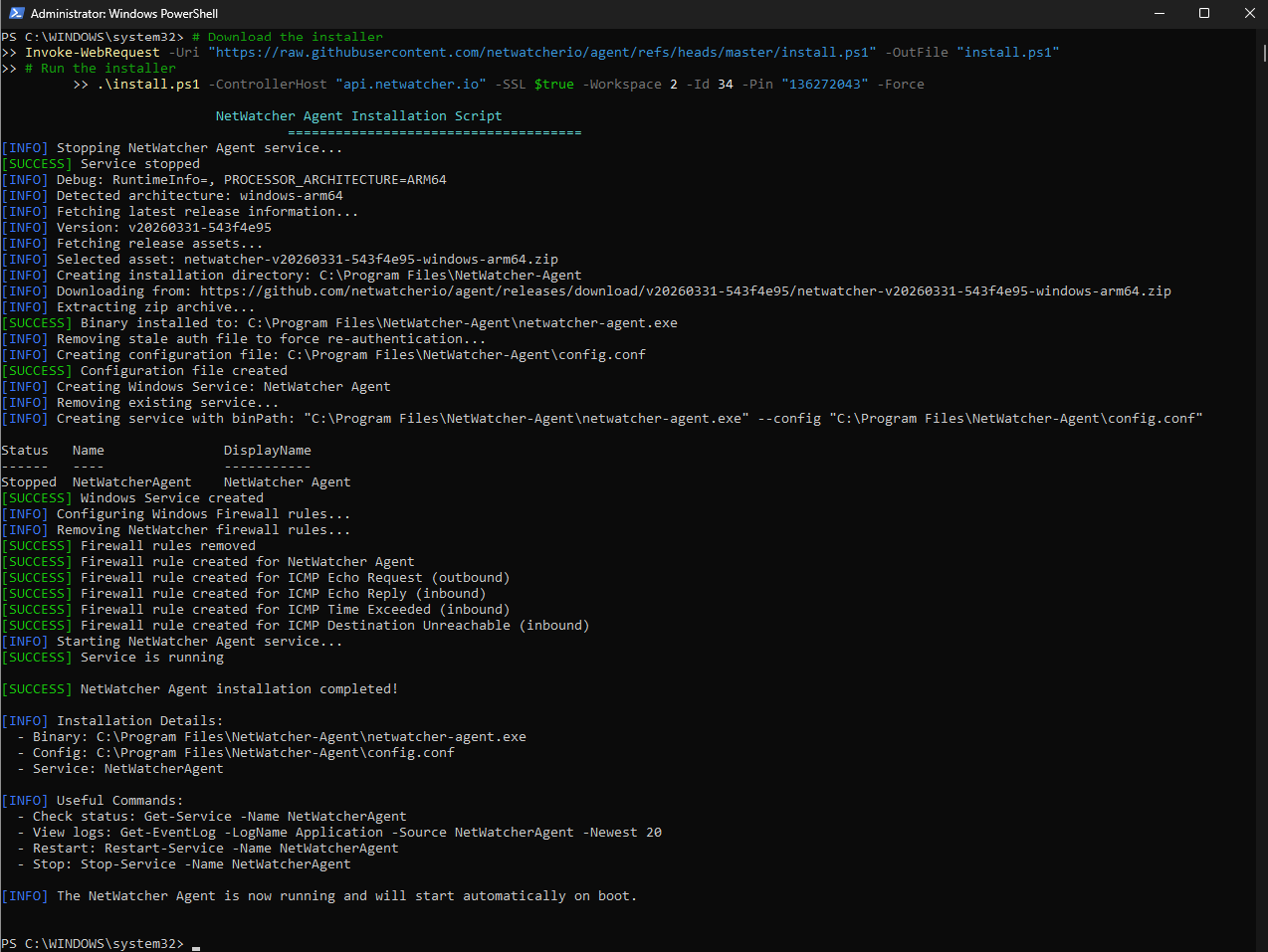
- It will output similar to the following screenshot.
- The technician / engineer will confirm it was installed correctly, and we will monitor the state of your network connection.